
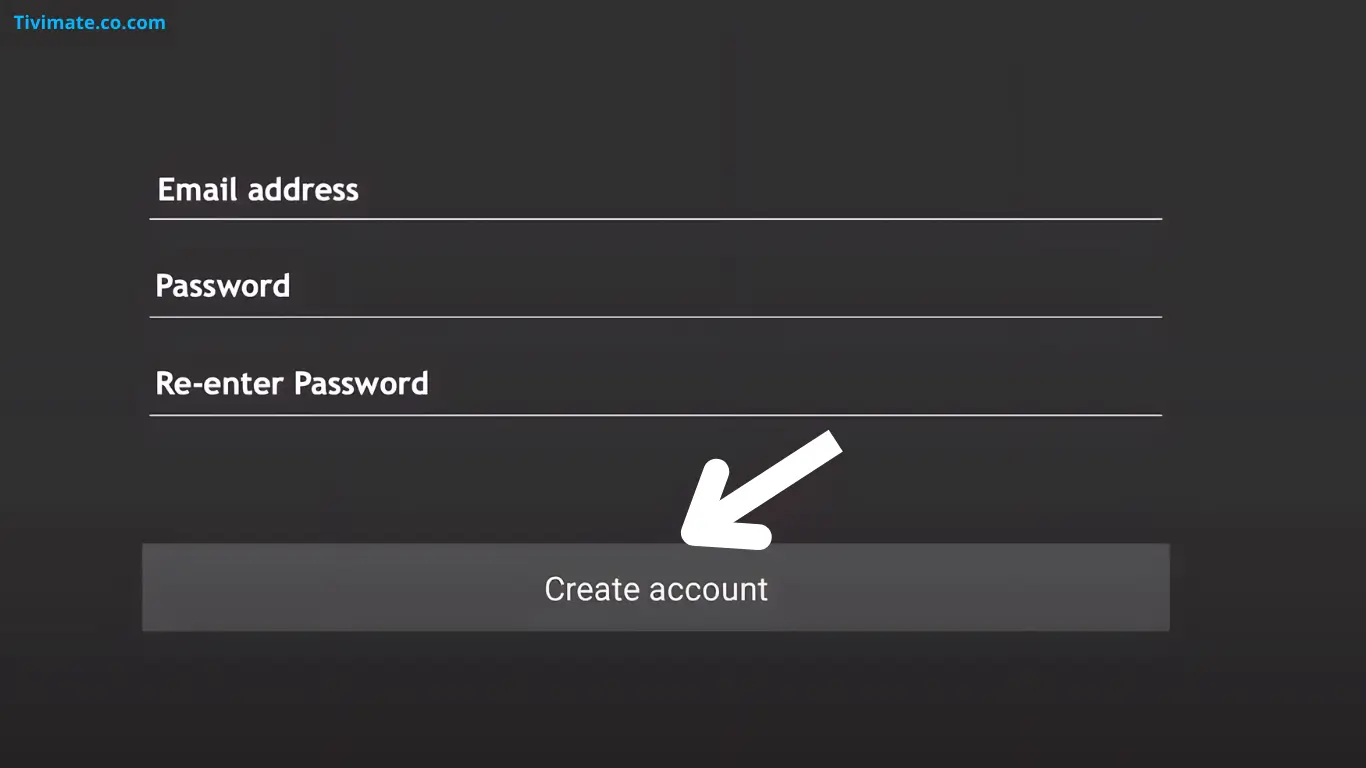
Quick Answer: To create a TiviMate account, download the TiviMate Companion app from Google Play, open it, and tap Sign Up. Enter your email and create a password. You need an account to purchase TiviMate Premium and to sync your settings across devices. Use the same account to log in on all your TiviMate installations.
Your TiviMate account is the gateway to managing your IPTV experience. Whether you need to log in, update your email, manage your subscription, or troubleshoot login errors, this guide covers everything about your account in 2026.
What Is a TiviMate Account?
A TiviMate account is required to activate the premium version of the TiviMate IPTV player. With an account, you can manage your subscription, link devices, and access all premium features including multi-screen viewing, recording, and EPG support. Your account is tied to your email address and is used across all your Android TV and Firestick devices.
How to Create a TiviMate Account
Creating an account is done through the TiviMate Companion app on your phone. Here is how to set up your account:
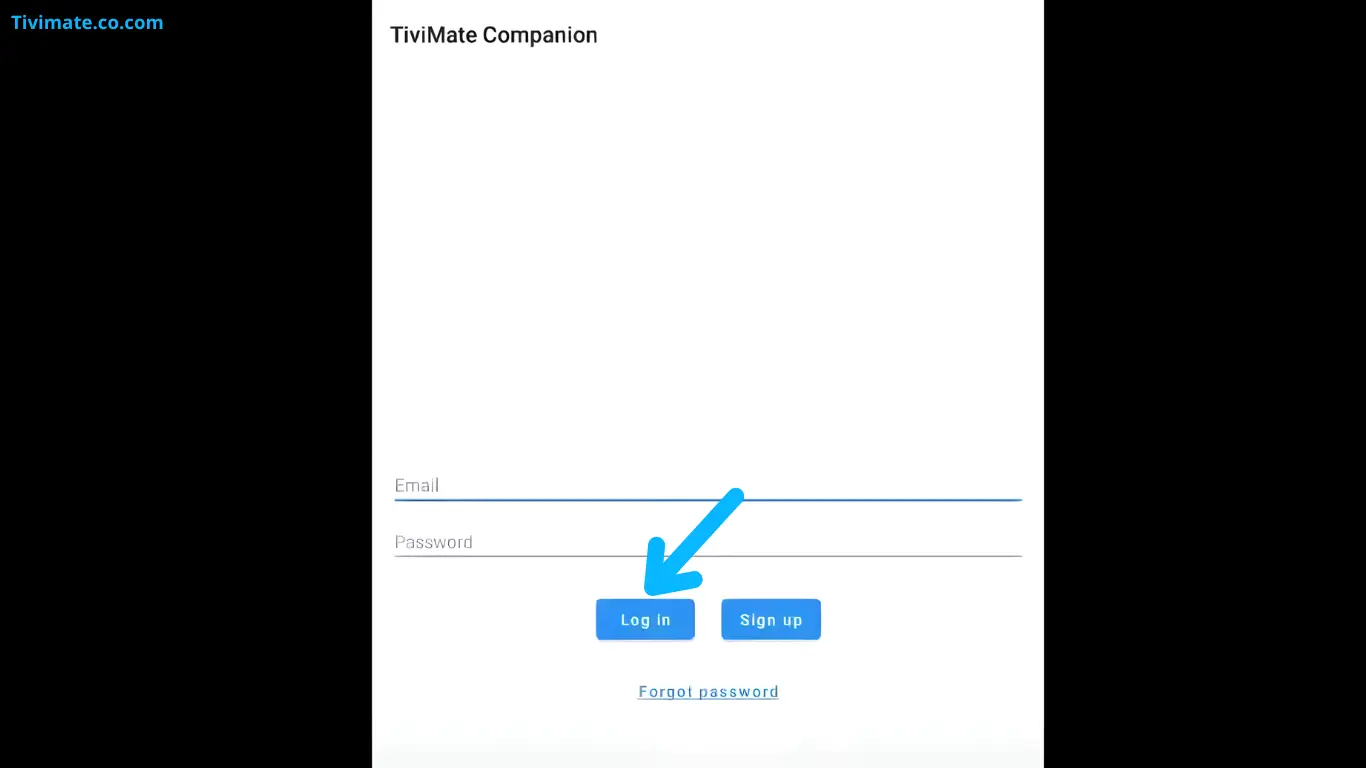
- Download the TiviMate Companion app from the Google Play Store on your Android phone or tablet.
- Open the app and tap "Create Account" or "Sign Up."
- Enter your email address and create a secure password.
- Check your email for a verification message and confirm your account.
- Once verified, your account is active and ready to use on your devices.
You can also create an account directly on the TiviMate website if you prefer using a desktop browser.
TiviMate Login: How to Sign In
Logging into your TiviMate account is straightforward. Here are the two main ways to do a TiviMate login:
Login via TiviMate Companion App
- Open the TiviMate Companion app on your Android device.
- Tap "Log In" or "Sign In."
- Enter the email address and password associated with your account.
- Tap "Login" to access your account dashboard.
Login via TiviMate Player
- Open TiviMate on your Firestick, Android TV, or other device.
- Go to Settings > General > Companion App.
- Select "Link with Companion App" to generate a pairing code.
- Open the Companion app on your phone and enter the code to link your account to the device.
How to Change Email in TiviMate
If you need to update the email address on your account, follow these steps. Knowing how to change email in TiviMate is useful if you have switched email providers or want to consolidate accounts:
- Open the TiviMate Companion app and log in to your account.
- Go to Account Settings or Profile settings.
- Select "Change Email" or "Edit Email."
- Enter your current password, then enter your new email address.
- Confirm the new email address and save the changes.
- Check your new email inbox for a verification link and click it to confirm the change.
After changing your email, you will use the new address for all future TiviMate logins.
TiviMate Subscription: Pricing and Plans
Your TiviMate subscription unlocks all premium features. Here is the current TiviMate subscription pricing:
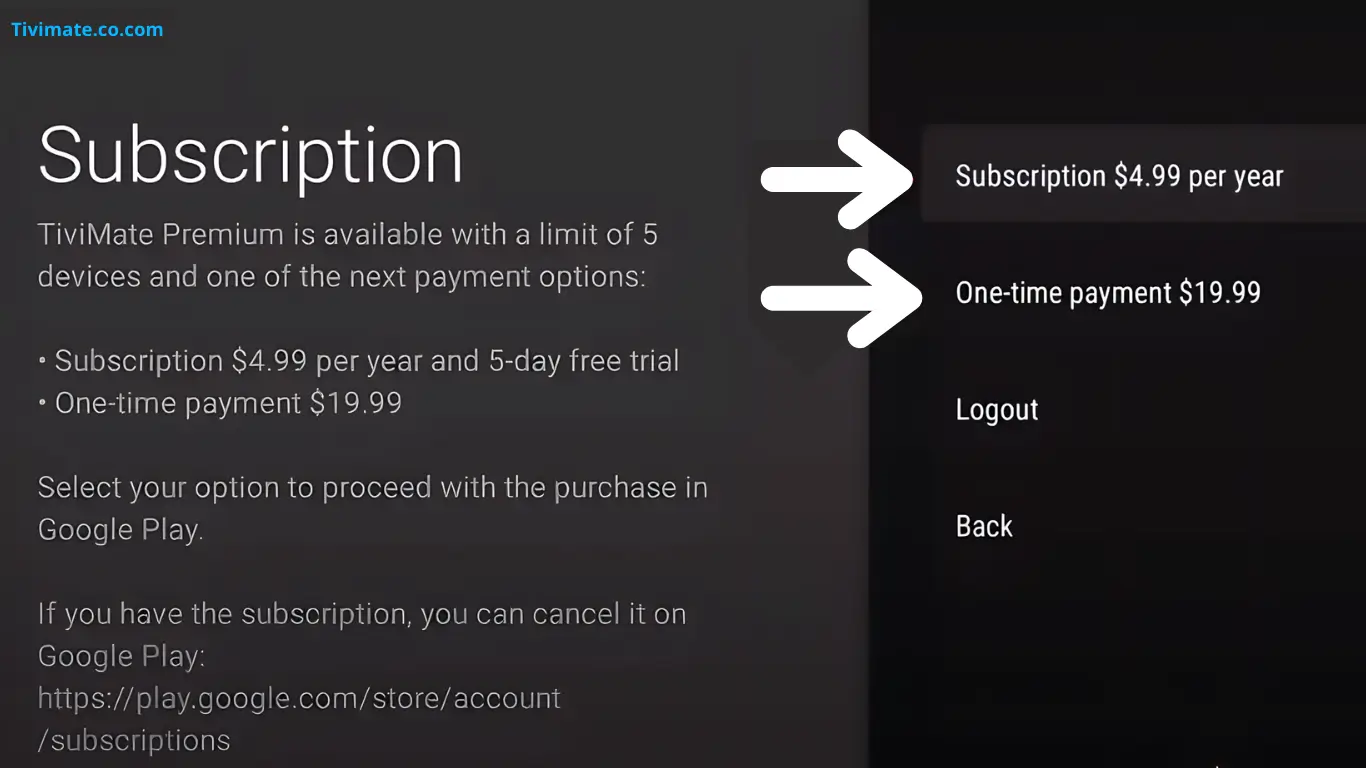
- TiviMate Premium (1 Year): $9.99 per year for one device.
- TiviMate Premium (5 Devices): $14.99 per year for up to five devices.
- TiviMate Premium (Lifetime): One-time payment for lifetime access on one device.
A TiviMate subscription includes multi-screen viewing, recording, EPG (TV guide), parental controls, and ad-free playback. Your TiviMate account tracks your subscription status and device activations.
How to Buy TiviMate Premium
Ready to upgrade? Here is how to buy TiviMate premium through your account:
- Open the TiviMate Companion app and log in to your account.
- Navigate to the Premium or Subscription section.
- Choose your preferred plan (1 Year, 5 Devices, or Lifetime).
- Complete payment through Google Play or the in-app payment system.
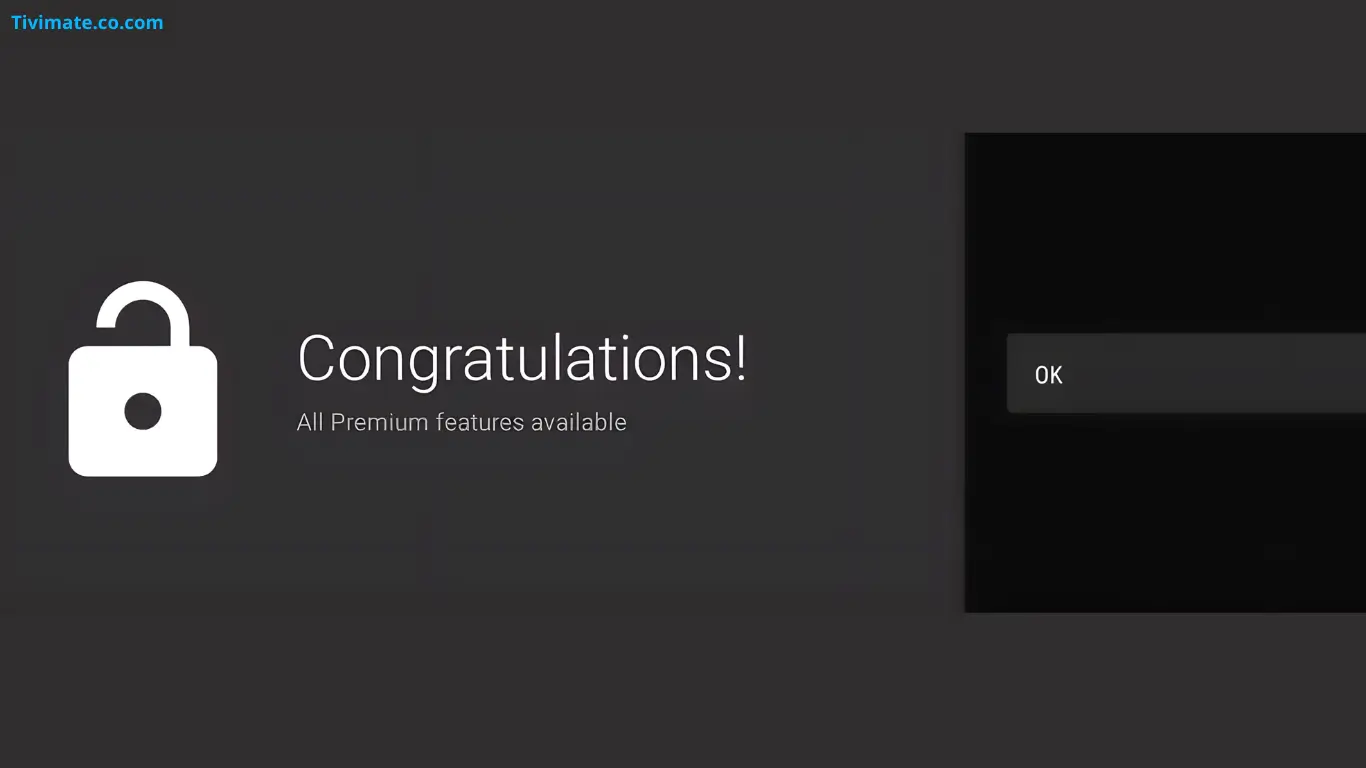
- Your account is immediately upgraded. Restart TiviMate on your device to activate premium features.
How to Cancel TiviMate Subscription
If you need to cancel your TiviMate subscription, here is what to do:
- Open the Google Play Store app on your Android device.
- Tap your profile icon and go to Payments & Subscriptions.
- Select Subscriptions and find your TiviMate subscription.
- Tap "Cancel Subscription" and confirm the cancellation.
Your TiviMate account will remain active until the end of the current billing period. After that, premium features will be disabled, but you can still use the free version of TiviMate.
TiviMate Account Settings and Device Management
From your account dashboard, you can manage linked devices, update your password, and configure account preferences. Here is an overview of key TiviMate account settings:
- Linked Devices: View and manage which devices are connected to your account.
- Password Change: Update your account password from the security settings.
- Subscription Status: Check when your TiviMate subscription expires and renew if needed.
- Account Deletion: Permanently delete your account and associated data.
TiviMate Account Not Working? Common Fixes
If your account is not working, here are the most common issues and solutions:
TiviMate Login Failed
If you cannot complete a TiviMate login, try these fixes:
- Double-check your email and password for typos.
- Use the "Forgot Password" option on the login screen to reset your account password.
- Ensure you have an active internet connection on your device.
- Clear the TiviMate app cache from your device settings.
TiviMate Account Not Found
If the system says your account does not exist, you may have registered with a different email address. Try any other email addresses you commonly use, or create a new TiviMate account.
Subscription Not Showing
If your TiviMate subscription is not showing after payment:
- Wait a few minutes and restart the TiviMate app.
- Make sure you are logged into the correct TiviMate account that made the purchase.
- Contact TiviMate support with your payment confirmation for help.
Official Resources for Your TiviMate Account
- Download TiviMate Companion App on Google Play - The official app for managing your account.
- Android TV Official Site - Learn about devices that support TiviMate.
- Best IPTV Services - Find compatible IPTV services for TiviMate.
TiviMate Account Security: Protect Your Login
Keeping your TiviMate account secure is essential, especially since it is linked to your payment details and active devices. Here are best practices for securing your TiviMate account:
- Use a strong password: Choose a password with at least 12 characters, mixing uppercase, lowercase, numbers, and symbols. Avoid reusing passwords from other accounts.
- Enable two-factor authentication: If available, enable 2FA for your TiviMate account to add an extra layer of protection against unauthorized access.
- Do not share your login credentials: Keep your TiviMate account email and password private. If you need to share access, use the companion app linking feature instead.
- Monitor linked devices: Regularly check which devices are connected to your TiviMate account and remove any you do not recognize.
- Log out of unused devices: If you sell or give away a device, unlink it from your TiviMate account before resetting it.
How to Link and Unlink Devices from Your TiviMate Account
Managing devices on your TiviMate account is straightforward. Your subscription plan determines how many devices you can link at once.
Linking a New Device
- Install TiviMate on the new device and open the app.
- Go to Settings → General → Companion App.
- Select "Link with Companion App" to display a pairing code.
- Open the TiviMate Companion app on your phone and log in to your TiviMate account.
- Tap "Add Device" and enter the pairing code shown on your TV or streaming device.
- The device is now linked to your TiviMate account and premium features will activate.
Unlinking a Device
- Open the TiviMate Companion app on your phone.
- Navigate to your account dashboard and select "Linked Devices."
- Find the device you want to remove and tap "Unlink" or "Remove."
- Confirm the action. The device will lose premium access immediately.
- You can now link a new device in its place if your plan allows.
Free vs Premium: TiviMate Account Features Comparison
Here is what you get with a free TiviMate account versus a premium subscription:
| Feature | Free Account | Premium Account |
|---|---|---|
| Channel Playback | 1 channel | Unlimited |
| Ad-Free | No | Yes |
| Multi-Screen View | No | Up to 4 channels |
| Recording (DVR) | No | Yes |
| EPG / TV Guide | Limited | Full support |
| Device Limit | 1 device | 1, 5, or lifetime |
Upgrading your TiviMate account to premium unlocks the full potential of the IPTV player. Choose the plan that fits your needs and device count.
How to Delete Your TiviMate Account Permanently
If you no longer need your TiviMate account, you can request permanent deletion. Note that this action cannot be undone and will cancel any active subscription without a refund.
- Open the TiviMate Companion app and log in to your TiviMate account.
- Go to Account Settings and select "Delete Account" or "Close Account."
- Read the warning about data loss and subscription cancellation.
- Confirm by entering your password and tapping "Delete."
- Check your email for a confirmation message and follow the link to finalize the deletion.
Once deleted, your TiviMate account data, subscription history, and linked devices are permanently removed. You would need to create a new TiviMate account to use the app again.
Frequently Asked Questions
Can I use one TiviMate account on multiple devices?
Yes. A single TiviMate account can be used on multiple devices. The 5-device plan allows up to five devices, while the 1-device plan limits you to one active device at a time.
How do I log out of my TiviMate account?
To log out, go to TiviMate Settings > General > Companion App > Unlink Device. In the Companion app, go to Account Settings and select "Log Out."
Do I need an account to use the free version?
No. You can use the free version of TiviMate without an account. An account is only required to activate the premium subscription.
Can I transfer my TiviMate subscription to a new device?
Yes. Simply log in to your account on the new device using the Companion app linking process. Your subscription is tied to your account, not to a specific device.
How do I recover my TiviMate account password?
Open the TiviMate Companion app, tap "Forgot Password" on the login screen, enter your email address, and follow the instructions sent to your email to reset your account password.